





VOYA

Your whole trip.
One app.

Plan it, split it, remember it, and ask it anything. Before, during, and after you land.

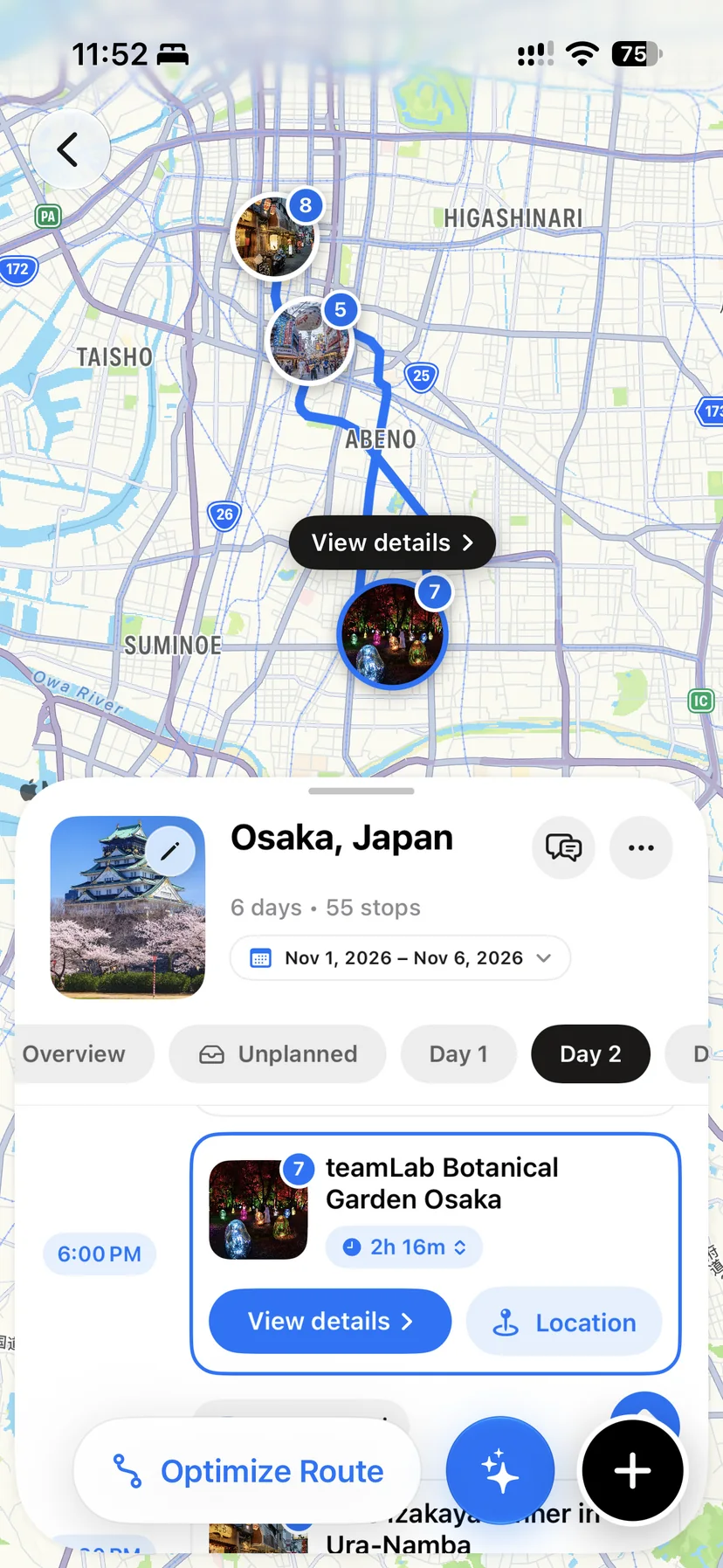
VOYA itinerary for a 6-day Osaka trip, Day 2 on a map with photo stops Ask Curio: suggested questions as photo cards, like 3 days in Bali and Kyoto in winter Expense split for a group of five: balances in yen and who owes who Travel Map of Tokyo with photos grouped where they were taken

Everything you need for the
whole trip

Most travel apps do one thing, so you end up running four of them for one trip. VOYA is built to be the one you keep.

Meet Curio. Not a chatbot, an answer engine.

Ask anything. Instead of a paragraph, Curio builds the answer out of live pieces: photo carousels, route steppers, maps with real pins, comparison tables, checklists.

  • Live web search
  • Real photos
  • 23 purpose-built blocks
  • Streams as it's ready
Ask Curio: suggested questions as photo cards Curio answer built from components: a photo carousel of Kyoto winter sights and a month-by-month table

Build a trip. Then talk it into shape.

Describe your trip and VOYA builds a day-by-day plan, or start from scratch. Then edit one stop, one day, or the whole trip just by saying what to change.

Know who owes who

Log an expense once. VOYA nets out balances across the whole trip and group, in any currency, then gives you one settle-up screen.

Your photos already know where you've been

VOYA reads the location data in your camera roll and maps everywhere you've actually been. No check-ins, no manual pins.

  • Countries visited
  • Travel days
  • Border crossings
  • Most-visited places
  • Explorer Rank
Travel Map of Tokyo with photos and a journal pinned where they were taken

Menus, signs, and "what is this," solved

A photo of a menu becomes a list you can read and compare: dish, local name, price, spice level, description.

Menu Scan turning a photographed menu into a structured list

A journal for every trip

Text and photos together, searchable later. "That place we found on day 3" is something you can actually find again.

Every pass in one wallet

Import a PDF, a photo, or an Apple Wallet pass and tag it. No more hunting for the boarding pass between 200 vacation photos.

Book it and get moving

Book tours and activities through Klook. Get walking, transit and driving directions, then hand off to your maps app.

Learn on the flight over

A real learning path, spaced repetition, an AI voice coach, and JLPT, HSK and TOPIK prep.

  • 日本語
  • 한국어
  • 中文

From first idea to home again

  1. 01

    Plan it

    Tell VOYA where you're going and it builds a day-by-day plan with real photos. Then reshape it by saying what to change.

  2. 02

    Live it

    Split costs as you go, ask Curio anything, and point your camera at menus and signs you can't read.

  3. Remember it

    Keep a journal as you travel, and watch your travel map fill in from your own photos.

Plan a trip. Tell VOYA where you're going and get a day-by-day plan with real photos.

What you can do in the app

Download VOYA and it's all in one place, from the first idea to the last photo.

Once you download VOYA, you can

  • Split expenses and see who owes who
  • Build and edit a full itinerary with AI
  • Keep a journal for every trip
  • See your trips mapped from your own photos
  • Get personalized spot and food picks
  • Ask VOYA anything
  • Identify and translate with your camera
  • Learn key phrases before you land

Your next trip is going to need this.

Plan it, split it, remember it.
One app for the whole trip.

Plan your trip in VOYA

Tell VOYA where you're going and it builds a day-by-day plan with real photos. Then keep everything for the trip in one place.

VOYA for Android is coming

Leave your email and we'll tell you the day it's on Google Play.

We'll only use it to tell you when VOYA for Android launches. Privacy policy